Organizing work schedules and duties on ships is crucial for smooth operations and crew well-being. Reliable work schedule management tools have made this process more efficient and organized than ever before. When I first started learning about maritime schedules, I found myself surprised by how much structure and coordination are needed to keep everything running seamlessly on board. If you’re new to managing ship rosters or just want to step up your crew scheduling practices, understanding the basics and key strategies is a solid way to build a strong foundation.
Understanding Shipboard Work Schedules and Duty Rosters
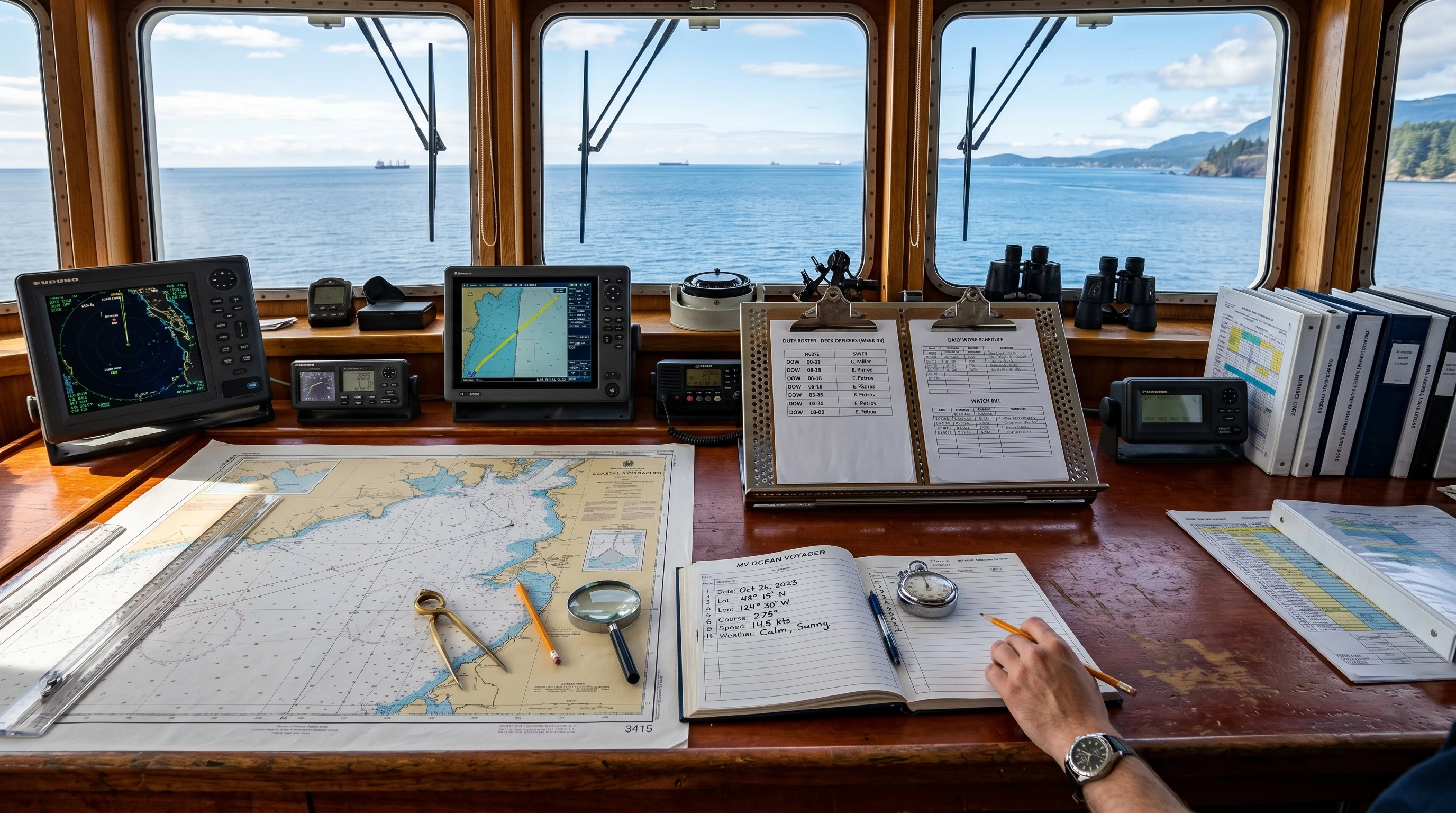
Life on board a commercial ship follows tight routines and responsibilities. Ship duty roster organization is far more than just a shift calendar. Each crewmember’s safety, rest, and job efficiency depend on a clear structure. For instance, on many cargo or passenger ships, the day divides into watches, with each watch lasting between four and six hours. Officers and crew rotate, ensuring that someone is always monitoring the ship’s navigation, machinery, and safety systems around the clock.
Work schedule management tools, such as digital rostering software and mobile apps, help automate and update duty assignments, especially when adjustments are needed because of weather, port calls, or emergencies. These tools are popular in shipping companies aiming to avoid crew fatigue and stick to international rest hour standards set by the Maritime Labour Convention (MLC) and Standards of Training, Certification and Watchkeeping (STCW).
Ship schedules are structured to fit the needs of operations and international regulations. However, scheduling also has to keep in mind crew experience, roles, and voyage length. Getting these basics right is the first step to running an organized vessel and using effective ship crew management techniques. A well-organized roster can also improve morale, as crew members can plan their downtime better and stay rested for demanding shifts.
Key Considerations When Organizing Ship Shifts
The process of organizing ship shifts for efficiency requires some thought and active coordination. Here are some essential factors:
- Following Rest Hour Laws: Regulations require tracking crew work and rest periods to prevent fatigue and ensure safe navigation. Most modern ships use digital logbooks and scheduling tools to track these hours automatically, making audits simpler and more accurate.
- Diversity of Crew Roles: Officers, engineers, cooks, and deckhands all have different shift patterns based on their skills and the ship’s technical needs. For example, engineers may have scheduled engine room rounds, while deck officers focus on bridge watches or overseeing cargo.
- Voyage Duration and Port Calls: Longer journeys and frequent port stops change the work intensity. During crossings, the focus is on navigation, while port calls require extra hands for cargo operations, mooring, and paperwork. Adjusting schedules to meet these fluctuating needs is vital.
- Communicating Effectively: Clear duty rosters and daily briefings are essential. Printed schedules on notice boards, supported by crew group chats or internal ship emails, help everyone stay updated when changes or shift swaps occur.
- Planning for Emergencies and Flexibility: Standby duty and emergency drills must be planned ahead. This keeps everyone aware of their backup responsibilities, boosting readiness and morale.
It’s also helpful to anticipate any specific needs of the voyage, such as seasonal weather changes, and to prepare crew accordingly. Adapting the roster for local port requirements or unique cargo types can head off trouble before it starts and keep operations flowing smoothly.
Best Ship Crew Scheduling Practices
Through my experience studying shipping operations and speaking with seafarers, I’ve tracked down several practices that create noticeable improvements:
- Use Digital Solutions: Shipboard scheduling apps and online tools speed up planning, lower mistakes, and offer automatic alerts for overtime or upcoming rest breaks. Some leading tools include COMPASS by Ocean Time, DNV’s Navigator, and HELM CONNECT’s crew scheduling features (learn more at Helm Operations).
- Rotate Fairly: Rotating watch and duty assignments between crew members reduces fatigue and helps maintain balanced skill levels across shifts. Mixing up teams or watch partners also develops teamwork and fosters training.
- Focus on Rest Enforcement: Fatigue at sea is dangerous, so breaks and sleep times must be respected. Work schedule management tools enable fast recognition if anyone is close to overtime or lacks enough rest.
- Review and Adjust: Every ship and journey is unique. Reviewing roster effectiveness and checking in with crew fosters improvements. Crew surveys and debriefings after trips often reveal simple ways to tweak future schedules and step up efficiency.
Encouraging open communication and regular feedback sessions can make tweaks more effective and involve the crew in the scheduling process. This approach helps to boost morale and cooperation, resulting in better overall performance.
Common Challenges in Ship Duty Organization and How to Handle Them
Organizing ship shifts for efficiency would be simple if every day brought the same routine. But ships constantly face changes. Here are common issues and practical tips for dealing with them:
- Unplanned Absences: Sickness or emergency leave can upend even the best-crafted schedules. Having backup or cross-trained crew prepped helps fill critical positions quickly without extra stress.
- Sudden Port Calls or Cargo Changes: Operational shifts can bring extra work for specific departments. Flexible role assignment and real-time updates from digital tools ensure duties are rebalanced quickly and fairly among the team.
- Crew Fatigue and Burnout: Continuous work for extended periods leads to more mistakes and lower morale. Monitoring and automated rest hour tracking flag issues early, so adjustments and relief can be brought in promptly if necessary.
- Language Barriers with International Crews: Ships often have multinational crews. Clear written instructions, visual charts, and handy translation aids make sure everyone is on the same page about their duties and shift times.
- Integration with Payroll and HR: Accurate work-hour records are key to onshore payroll. Trustworthy scheduling software prevents payroll slip-ups and guarantees fair pay for overtime or special assignments.
Understanding the dynamics of multinational teams and time zone differences can also help reduce misunderstandings and keep all crew members informed, regardless of their role or primary language.
Real-World Examples in Ship Duty Roster Organization
Consider a real scenario: a container ship with a three-watch system achieved notable efficiency improvements after switching from paper rosters to digital scheduling. The chief officer could alter shifts from a tablet during poor weather, and automatic compliance alerts helped them steer clear of overtime penalties. Feedback highlighted that real-time notifications for shifts and rest periods boosted both morale and punctuality.
In another instance, cruise lines put detailed planning to work, not only for bridge and engine room watches but also for stewards, entertainers, and hotel staff. This approach requires a super detailed daily shift plan that gets constant updates as itineraries and guest needs change. Effective scheduling keeps hundreds of staff coordinated, even during long stints at sea with ever-changing demands.
Tools and Technology for Ship Crew Management
The rise of work schedule management tools has transformed how ship managers arrange shifts. For me and many others, must-have features in scheduling apps include offline usability, fast editing, and automatic compliance checks. Here’s what to look for:
- Offline Functionality: Since ships often lose internet at sea, the best apps save changes on the device and sync with central systems when internet returns.
- Automatic Roster Generation: Instead of spending hours manually assigning shifts, these apps create balanced lineups and flag conflicts, such as overtime or missed breaks.
- Direct HR and Payroll Connections: Tying the roster directly to payroll and HR software saves time and cuts down on double-entry mistakes when crews swap at port.
Popular products for this work include DNV Navigator, ABS NS Voyage Manager, and the SeaRM system. If you want to check out deeper technical guides, the Marine Insight technology section offers plenty of resources and comparisons.
How to Optimize Ship Labor Schedules and Manage Activities Effectively
Improving ship labor schedules requires routine checks and a willingness to freshen up outdated habits. Here are some ways I step up my scheduling methods:
- Collect Feedback Regularly: Short, anonymous crew surveys or post-trip feedback sessions reveal hidden issues. Crew members often suggest time-saving ideas or shed light on burdens that went unnoticed before.
- Match Schedules to Workload Peaks: On cargo vessels, more people are needed during active cargo shifts and fewer during crossings. On ferries and cruise ships, staff peak times align with guest meal and entertainment schedules.
- Examine Data Analytics: Reviewing data from past trips, like overtime trends or safety incidents, helps me tweak future rosters. Modern scheduling tools come with dashboards and trend graphs, which are easier than poring over old logs.
- Plan for Special Tasks: Safety drills, training, and inspections should be scheduled rather than squeezed in after full shifts. This approach keeps the ship in compliance with regulations and ensures essential tasks don’t get pushed to the back burner.
Tapping into these best practices and continually striving for improvements lets me ensure ship operations stay safe, fair, and efficient. Whether managing a small research boat or a large tanker, these principles stand strong across the board.
Regularly training the crew to use new scheduling technologies also streamlines the transition and encourages everyone to embrace change. Sharing successes and statistics from past improvements can motivate the crew to participate fully in new processes, solidifying positive habits for the future.
Frequently Asked Questions
Here are some questions I often receive about organizing ship work schedules and duties:
Question: What’s the best way to start building a duty roster for a ship?
Answer: Begin by listing all watch posts and duties. Use a scheduling tool to place certified crew in each role, making sure you stay within rest hour and safety laws. Review and tweak the roster as ship plans or crew lists change to stay flexible and compliant.
Question: What happens if a crewmember unexpectedly can’t complete their shift?
Answer: Having backup assignments and training crew to fill multiple roles lets you swap shifts easily, minimizing disruption. Scheduling tools help by flagging open slots quickly, so replacements can be arranged without delay.
Question: How do digital scheduling systems help with compliance?
Answer: They automatically log work and rest hours, and flag patterns that may break maritime labor rules. The alerts and reports also make inspections and audits straightforward and less stressful for everyone.
Question: Can I apply these practices to smaller boats or independent crews?
Answer: Absolutely. The same principles work even on a small research boat. A clear daily plan, rest tracking, and simple scheduling apps all save time, reduce mistakes, and keep small crews organized and in line with regulations.
If you’re just starting out, don’t hesitate to check in with more experienced crew or ship managers, and take advantage of demo versions of scheduling software to find the right fit for your vessel. With a bit of effort and the right tools, organizing ship duty rosters can become a routine part of safe, effective shipping operations.
This article was created with AI assistance and reviewed by a human editor.