Most simulator-based courses publish the same things: a syllabus, a number of days, a list of certificates you receive. What determines how much you learn is harder to see. It is the simulator in the room, the person running it, and what happens after each exercise.
This article gives you a way to judge those things for maritime simulator training for certifications, whether you are heading for a radar and ARPA course, an ECDIS course, a bridge and ship handling course, or a cargo and loading computer course. It does not rank centers. It shows what to look for so you can compare any two of them yourself.
Why the simulator matters more than the brochure when a course is assessed on one
On a simulator-based course, the simulator is the examination room as well as the classroom. Your competence is judged by how you handle exercises on the equipment. If the exercises are unrealistic, the assessment tells the center, your employer and you very little about whether you can do the job on a real bridge or in a real cargo control room.
A brochure can show the same photograph of a bridge mock-up for any course. It cannot tell you whether the radar behaves like the radar you will use on board, whether the ship model responds to the helm and engine the way a real vessel does, or whether the instructor can change a scenario halfway through to test your decisions.
There is also a practical cost. Course fees, travel, accommodation, and time off the ship all add up, and a certificate is only useful if the people who rely on it accept it. A course that teaches you little and one your flag state does not recognize both waste that money, just in different ways.
Three things matter in roughly this order:
- The simulator itself: its type, how closely it matches shipboard equipment, and how well it models ships and sea conditions.
- How the center uses it: instructor experience, scenario design, assessment method, and debriefing.
- Whether the course and simulator are approved for the certificate you need.
The rest of this article takes each in turn.
Which simulator type matches which certificate
“Simulator” covers several quite different pieces of equipment. A center may excel at one and fall short on another, so check the type that matches your certificate rather than relying on the center’s general reputation. Two requirements apply to all of them: the equipment must suit the learning objective, and it must meet the performance standards your approving authority expects. STCW Section A-I/12 sets out standards for simulators used in training and assessment, and national administrations apply them through their own approval processes. The STCW basics cover what STCW certification is and what every seafarer needs to know.
Radar and ARPA
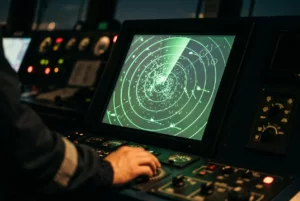
A radar and ARPA course needs a simulator that generates realistic radar pictures with targets that move according to their own courses and speeds. You should be able to acquire targets, read vectors, check relative and true motion, and work out closest point of approach and time to it. The simulation should include sea clutter, rain clutter, shadow sectors, and the effect of range scale and gain settings. It should also let the instructor create target ships that alter course or speed, because that is where plotting and ARPA judgment are tested.
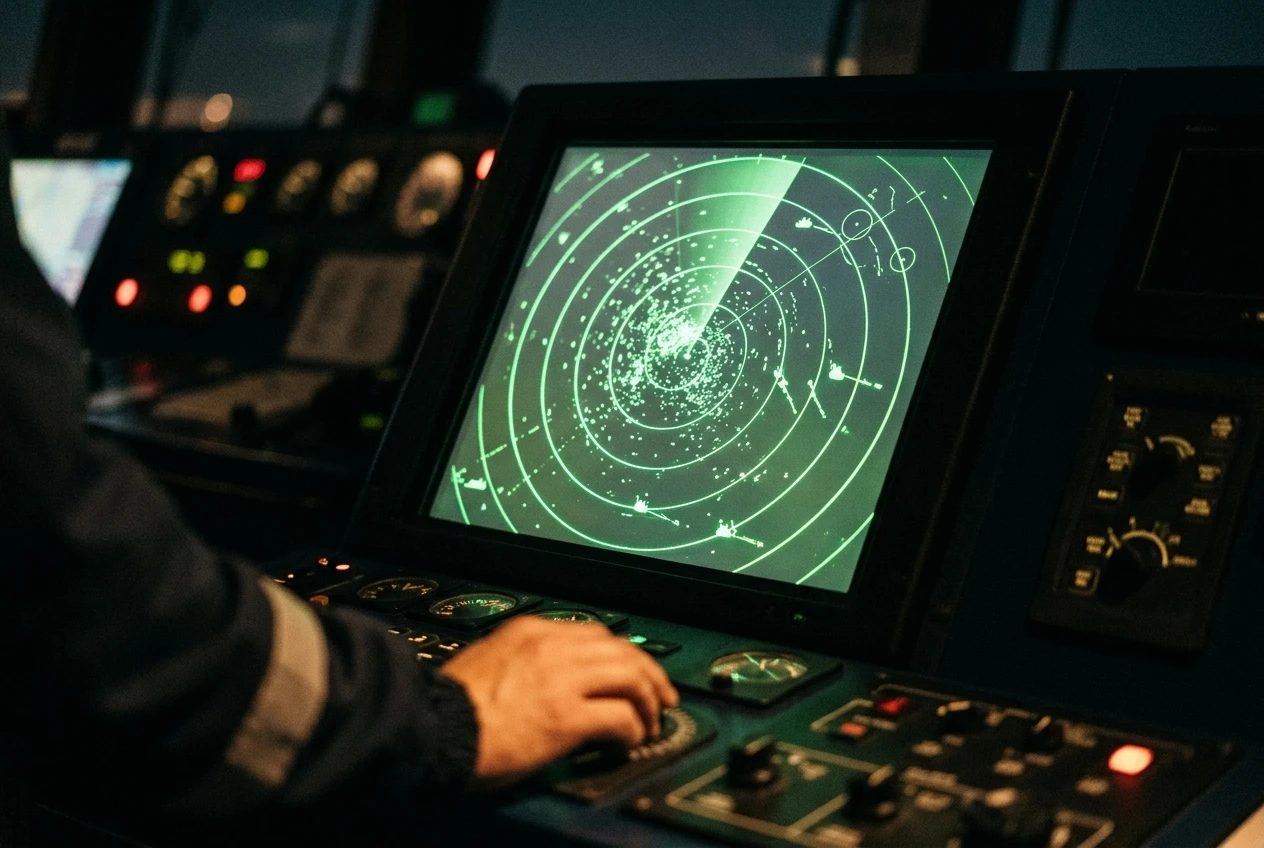
Look at whether the radar displays are separate trainee stations or a shared screen. Individual stations mean each candidate is assessed on their own work, and no one waits while another person operates.
ECDIS
For ECDIS, the question is what software and hardware the trainee actually uses. A generic ECDIS course teaches the principles: chart data, safety settings, route planning and monitoring, alarms, and the system’s limits. Many ships, though, use equipment from a particular manufacturer, and menus, alarm handling, and route-planning screens differ between brands. If your ship has one type, ask whether the center offers a type-specific course and whether it is separate from the generic one.
The simulator should also let you work with real chart data, such as electronic navigational charts, and handle issues like missing updates, a lost position-fixing input, or an alarm that needs to be set up correctly.
Bridge and ship handling
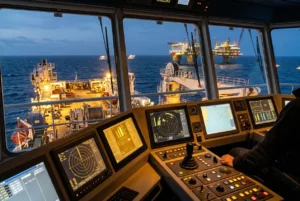
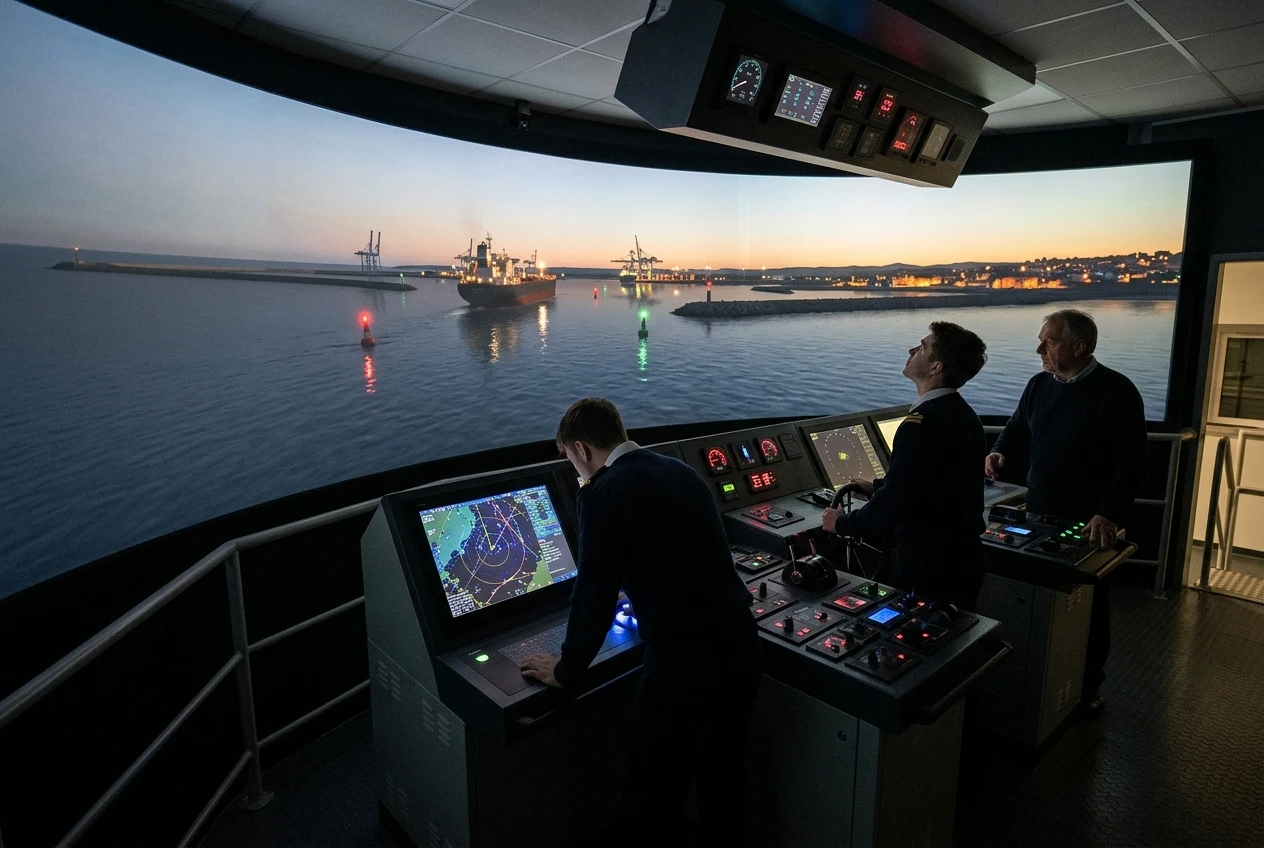
Bridge teamwork and ship handling usually need a full mission bridge or a close equivalent. This mock-up shows a ship’s bridge with a visual scene, a conning position, steering and engine controls, radar, ECDIS, and communications. For ship handling in confined water, berthing or pilotage, the quality of the ship model and visual database matters a great deal. For bridge resource management, the group has to work as a team, which means enough stations and roles for the people on the course to run a watch.
Liquid cargo and loading computer
Cargo simulators are different in kind. A liquid cargo simulator reproduces a tanker’s cargo control room, with a pump room, valves, tanks, ballast system, and monitoring screens, and lets you load, discharge, and manage ballast through realistic operations with realistic faults. A loading computer simulator used for stability and strength should behave like a ship’s approved loading instrument: you enter the tank contents and see stability, trim, shear force, and bending moment results.

The point of both is to practice decisions on equipment that behaves like the real system. Ask which ship type each model represents, and whether it matches the ship type you will work on.
What high fidelity should mean for a working mariner
Fidelity gets used as a selling word, so it helps to break it into parts you can inspect. A simulator can be strong in one part and poor in another. What you need depends on the certificate.
Own-ship model. The model should react to the helm, engine, and environment in a way a deck officer would recognize. Check whether the center has models in different sizes and types, such as a loaded tanker, a container ship, and a smaller vessel, and whether it can change loading conditions, trim, wind, current, and shallow-water effects. If every exercise uses the same ship in calm weather, ship-handling practice will be limited.
Visual scene. For bridge and ship handling courses, the view outside should be good enough to judge distance, aspect and relative motion. Ask whether it shows realistic port layouts or approaches, lights, buoys and night and restricted-visibility conditions. A pretty picture is not the test. The test is whether you can make the same visual judgments you would make from a real bridge wing.
Equipment interfaces. On a radar, ECDIS or cargo course, the controls are the training. A touchscreen replica of a radar that behaves differently from your ship’s console teaches different habits. The closer the knobs, menus and alarms are to what you use at sea, the more of what you learn transfers. Some centers use real or manufacturer-supplied equipment, while others use software that imitates the interface. Both can be acceptable, but ask which it is and whether it matches what the employer’s ships carry.
Environment and traffic. Radar and bridge exercises depend on traffic that behaves sensibly. Other ships should follow the collision regulations most of the time, break them when the instructor wants to test you, and appear in realistic densities. The simulator should allow you to adjust weather, sea state, tidal streams, and visibility.
Faults and degraded conditions. A working mariner needs to learn what to do when equipment fails or data is wrong. Look for a simulator that can fail a gyro, introduce a bad GPS position, set an incorrect chart safety contour or simulate a cargo valve that sticks. Practicing only when everything works leaves a gap.
A caution applies here. Greater visual detail does not automatically mean better learning. A modest simulator with a correct ship model, realistic radar behavior and a skilled instructor can teach more than a showpiece with a poor ship model. Judge fidelity against the learning objective, not against the size of the screens.
Instructor, scenario design and debrief: where most of the learning happens
Equipment gives you somewhere to practice. The instructor and the exercise design decide what you practice and whether you understand why you did well or badly.
The instructor
A good simulator instructor has sea experience that fits the course. A radar and ARPA instructor should have used radar for collision avoidance at sea, an ECDIS instructor should have navigated with ECDIS, and a cargo instructor should have run cargo operations on the relevant ship type. They also need to understand the simulator well enough to adjust it as the exercise runs. Ask who will teach your course, what their sea background is, and how many trainees are in each group.
Group size matters. If six people share one station, each gets a fraction of the hands-on time. Ask how many trainees share a workstation and how many simulator hours each candidate actually gets, not how long the course lasts in days.
Scenario design
Good scenarios focus on a learning objective and the competence being assessed. A radar exercise should put you in a crossing situation that requires you to plot, judge risk and act in time. A ship-handling exercise should include wind, current, and a restricted berth. A cargo exercise should include a change of plan, such as a delayed discharge or a ballast problem.
Be cautious of courses where every scenario is the same sequence run in the same way, because candidates quickly learn the sequence instead of the skill. Ask whether scenarios vary between courses and whether the instructor can adapt them to the group.
Assessment
If the course is assessed on the simulator, ask how. Reasonable approaches use defined criteria, such as safe passing distances, correct use of the collision regulations, accuracy of plotting, correct setup of safety parameters, or correct ballast and stability results. The assessor should know in advance what a pass looks like and should record the result in a way you can see afterward. An assessment that depends only on the instructor’s general impression is harder to defend and harder for you to learn from.
Debrief
The debrief is where an exercise turns into learning. A useful debrief replays the exercise, shows tracks and data, and lets you and the instructor discuss why a decision was made. For bridge teamwork, it should cover communication, workload, challenge and response, and how the team handled the unexpected. For cargo and ECDIS, it should cover settings, sequencing, and alarms.

Ask how long the debrief lasts compared with the exercise, and whether the simulator records and replays. If debriefing is rushed or dropped to fit more exercises in, you will do more repetitions but understand less. Many mariners find the debrief is the part they remember when they face a similar situation on board.
Approval and recognition: checking the course and its simulator
A course taught on an excellent simulator still fails you if the certificate is not accepted. Approval has two layers. The course itself must be approved or recognized for the certificate you want, and the simulator used must meet the standards that approval relies on.
Start with your flag state administration, because it issues or endorses your certificate. Its rules, or the approvals it publishes, decide which centers and courses count. If you hold or will hold a certificate from one administration and work on ships of another, check both. The relevant authority may list approved training providers, or accept courses on proof of approval, and rules vary.
Then check your employer or manager. Many companies add requirements beyond the minimum, such as specific ECDIS equipment types, particular course providers, or additional simulator-based assessments. Your crewing or training department can tell you what they accept before you pay. Ask them in writing if you can.
When you contact the center, ask for:
- The name of the approving authority and the approval reference for the specific course, not only for the center in general.
- Whether the approval covers the simulator used for your course, or only the course content.
- The date until which the approval is valid, since approvals can lapse or be reviewed.
- Which certificate or endorsement you will receive, who issues it, and whether you need to submit it to your administration afterward.
A center with approvals should be able to answer these quickly. If an answer is vague or you are told “everyone accepts our certificates”, ask for the approval document and check it with the authority. For help with the broader question of choosing a provider, see choosing a maritime training academy: what to check before you enrol.
If you are working towards a management-level certificate, also check how simulator courses fit the wider requirements for the rank. The training that turns a second mate into a chief mate covers that route.
Questions to ask a training center before you book, and red flags to walk away from
Put your questions in an email. A written reply gives you something to refer to later and shows whether the center answers directly.
Questions about the simulator
- What type of simulator will my course use, and is it the same one used for the assessment?
- Does the equipment match what is installed on ships of my type? Which radar, ECDIS, or loading computer models does it represent?
- Which ship models are available, and can I change loading, weather, and traffic?
- Can the instructor introduce equipment failures and wrong data during an exercise?
- Is each trainee at their own workstation, and how many simulator hours will I get personally?
Questions about teaching and assessment
- Who will teach my course, and what is their seagoing background?
- How many trainees will be in the group?
- How are exercises assessed, and what are the pass criteria?
- Are exercises recorded and replayed in the debrief? How much time is allowed for debriefing?
- What happens if I do not pass on the first attempt? Is reassessment included in the fee, or is it charged separately?
Questions about recognition
- Who approves this course, and what is the approval reference?
- Will my flag state and my employer accept the certificate?
- Is the course approved for the specific certificate or endorsement version I need?
Red flags
Some responses suggest you should look elsewhere:
- The center will not tell you which simulator or equipment it uses, or the answer changes between calls.
- No named approval, or an approval that covers a different course from the one you are booking.
- Guaranteed passes, or a promise that you will receive the certificate regardless of performance.
- Large groups sharing a few workstations, with little individual time on the equipment.
- Exercises that are shown by the instructor rather than performed by you.
- No debrief, or a debrief that is a few minutes of general comments.
- Pressure to pay quickly with a discount that expires soon, before you have had your approval questions answered.
- Reluctance to let you see the simulator or speak with an instructor before booking.
If you can visit, do. Seeing the room, the equipment, and a session in progress tells you more than a brochure.
Getting more from your simulator hours
Simulator time is limited and costly, so use it well. Preparation before the course and follow-up after it make a large difference to how much you retain.
Before the course
Ask the center for the syllabus and any pre-course material, and read it. Refresh the underlying knowledge before you arrive: collision regulations and radar plotting basics for a radar course; chart symbols and safety settings for ECDIS; stability and cargo calculations for a cargo course. A simulator is a poor place to learn something you could have read the week before, because every minute spent on basics is a minute not spent on judgment.
Find out what equipment you will use and, if you can, get the manufacturer’s manual or training material. Review your company’s procedures, such as passage planning standards, bridge procedures, and cargo plans. Bring questions from your own experience. If you are struggling with a situation on board, tell the instructor early, because a good one may be able to build it into an exercise.
During the course
Treat exercises as if they were real. Make the calls, give the helm and engine orders, and use bridge communication as you would at sea. When something goes wrong, resist the urge to restart. Stay with it and see how you recover, because recovery is often the most useful part.
Take notes in the debrief, particularly on points where your decisions differed from the instructor’s or the group’s. Ask for the recorded data or printouts if they are available.
After the course
Write down the main points while they are fresh. Note any settings you got wrong, calculations you found hard, and decisions you would make differently. When you return to the ship, check those points against the equipment you actually use, and talk through scenarios with colleagues on watch. Simulators are a good place to learn, but you retain the skill by applying it.
If your course also taught team skills, apply them on the bridge: clear callouts, a habit of challenging and being challenged, and agreed plans before a maneuver. Fatigue and workload affect these skills, so managing fatigue during long voyages is a useful companion read.
Finally, keep your records. File the certificate, the approval details and your assessment results. They support your next application for a certificate or endorsement and help you compare centers for your next course.
This article was created with AI assistance and reviewed by a human editor.
Disclosure: This post contains Amazon affiliate links. If you buy through them, we may earn a small commission at no extra cost to you.